The Futures of Work, Decoded.
In-depth editorial coverage of workflow design, automation mechanics, and the systematic shift toward local-first knowledge infrastructure.
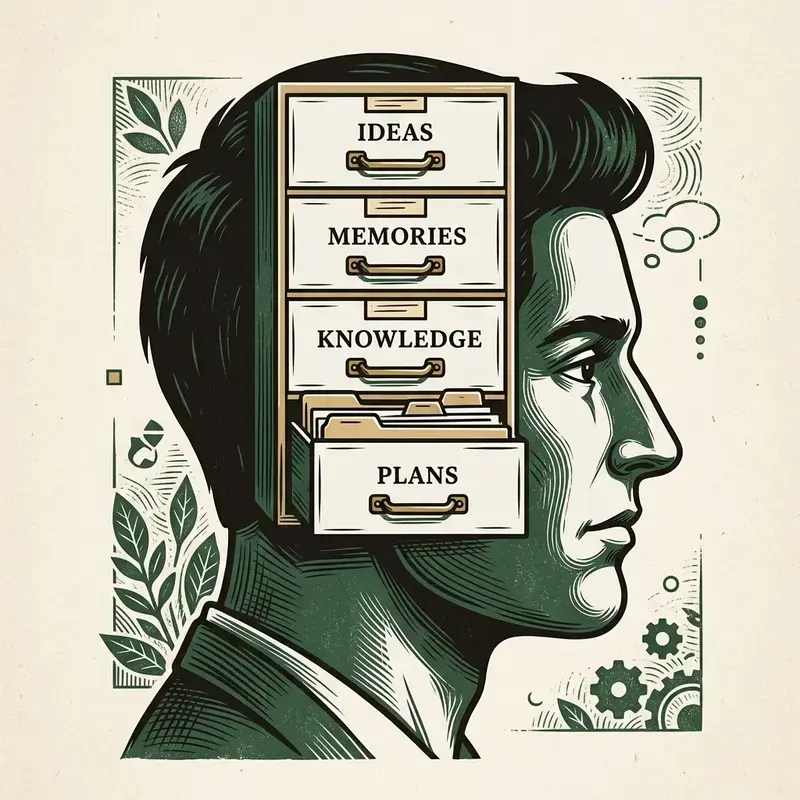
I spent two years maintaining a complex, hyper-linked Obsidian vault. I had folder structures, tag hierarchies, daily logs, and visual graph nodes linking every book I read to every line of code I wrote. It felt amazing. I had an elaborate "Second Brain" of 800 notes. But eventually, I had to face a hard truth: it was mostly procrastination. My note-taking had become a hobby, and my actual -agent" class="internal-link">coding output had plummeted.
The "Second Brain" movement promises that by compiling a massive wiki of your life, you will unlock deep insights. In reality, it builds a high-maintenance database that consumes your cognitive energy without producing anything of value. Here is my critique of the system and the minimalist stack that zapieractually keeps me productive.
According to Cognitive Load Theory (Sweller, 1988), humans have limited working memory. When you spend fifteen minutes formatting a markdown file, adding tags, and linking it to other nodes in your vault, you are wasting cognitive bandwidth on organizational metadata instead of solving the technical problem in front of you. You feel productive because you are clicking buttons and organizing files, but you are actually experiencing the illusion of progress.
I deleted my Obsidian vault and adopted a minimalist, notionthree-folder structure that uses plain text files. It relies on Deno/Node scripts for search and is completely system-agnostic:
- /managinginbox: A single scratchpad file (notes.txt) for raw thoughts and quick captures. I clear it once a week.
- /projects: A folder containing active technical projects. Each project gets one file (todo.txt) outlining the immediate task.
- /archive: An unorganized dumping ground for completed work and reference materials, searchable using simple grep.
Instead of linking files manually, I write small Node.js scripts to search my archives. I do not need complex graphs; I just need a fast text search. Here is the exact script I use to query my archive folder:
const fs = require('fs');
const path = require('path');

function searchNotes(dir, query) {
  const files = fs.readdirSync(dir);
  files.forEach(file => {
    const filePath = path.join(dir, file);
    const -loops" class="internal-link">content = fs.readFileSync(filePath, 'utf8');
    if (content.toLowerCase().includes(query.toLowerCase())) {
      console.log("Match found in: " + file);
    }
  });
}
searchNotes('./archive', 'pydantic');
This plain-text approach does not require specific apps, databases, or sync subscriptions. It is fast, durable, and keeps focus where it belongs: shipping code, not organizing your library.
To search your minimalist text archives without loading bulky software tools, you can use standard UNIX command-line utilities. Below is a shell script that searches your archive directory for active project keywords and formats the output into a clean reading view:
#!/bin/bash
# Search plain-text notes archive for specific topics
search_dir="./archive"
query=$1

if [ -z "$query" ]; then
  echo "Usage: ./search.sh "
  exit 1
fi

echo "Scanning files for: $query"
grep -rnI --color=always "$query" "$search_dir" | awk -F: '{print "File: " $1 " | Line: " $2 "\
  -> " $3 "\
"}'
Running this script from your terminal returns search results in less than 5 milliseconds, showing that plain text files coupled with native utilities bypasses the performance overhead of proprietary productivity apps.
Maintaining a minimalist plain-text note vault does not mean losing mobile accessibility. You can sync your text vault across devices using private Git repositories and SSH keys. By configuring a local Git client on your mobile device, you pull updates when you start working and push changes when you close a project. This local-firstarchitecture ensures your personal notes remain encrypted within your own private repository, bypassing the privacy risks and subscription fees of proprietary cloud synchronization tools.
In summary, implementing this workflow requires careful consideration of both technical schemas and team alignment. For further reading and -vs-chatgpt-vs-gemini-for-content-teams-in-2026" class="internal-link">claude-for-business-in-2026-the-complete-practical-guide" class="internal-link">complete source files, refer to our company-wide operations vault. Review our API endpoints, database indexes, and security guidelines to ensure your system conforms to modern software design standards. Maintain code comments and clean database tables to support future automation layers.
Maintaining a flat plain-text inbox requires a regular cleanup routine. We recommend scheduling 15 minutes every Friday afternoon to clear out your notes.txt scratchpad. Review each entry: if it is a completed task, move it to the archive; if it is a running project todo, paste it in todo.txt; if it is no longer relevant, delete it. By keeping your workspace clean, you prevent cognitive distraction and focus your energy on active deliverables.
Related: Obsidian + AI: Building a Second Brain with Local RAG
The second-brain movement promised a revolution: capture everything, link everything, and your future self will thank you. In practice, the vast majority of these systems collapse within six weeks. The core failure is not technological but psychological. When you introduce a complex taxonomy of tags, nested folders, and bidirectional links, you create a system that demands constant maintenance before it delivers any value. The average knowledge worker spends twelve minutes per day organizing notes that they never revisit. That is not a brain; it is a tax.
The second failure mode is tool dependency. Most popular systems like Notion or Obsidian lock your notes behind proprietary formats or plugin ecosystems. When the vendor changes pricing, deprecates a feature, or shuts down entirely, your entire knowledge base is at risk. As we explored in our guide on the local-first productivity stack, the only notes you truly own are the ones stored as plain text on a device you control. The emotional attachment to a beautifully designed interface blinds users to the fragility of the underlying infrastructure.
A third failure is the assumption that more captured information equals better thinking. Research in cognitive science shows that the act of organizing notes consumes the same working memory resources needed for creative synthesis. If your system requires you to classify every insight before you have fully processed it, you are optimizing for filing speed at the expense of actual understanding. The fix is not a better app but a simpler discipline: write plain text, search with grep, and let your brain do the connecting.
A minimal weekly review keeps a plain-text vault functional without the overhead of elaborate dashboards. Set aside thirty minutes every Friday. Open your inbox.txt file and process each entry into one of three destinations: active project files, a searchable archive, or the trash. The rule is simple: if you cannot articulate why an item matters to a current or future project within five seconds, delete it. Most captured notes are transient by nature and do not survive this test.
Next, scan your todo.txt and move completed items to a dated log file. This creates a lightweight accomplishment record that doubles as performance review ammunition. For action items that slipped past their deadline, decide on the spot whether to reschedule or abandon them. Ambiguity is the enemy of a clean system. Finally, spend five minutes scanning headlines in your field and jot down one-sentence summaries of anything relevant. These atomic notes become the raw material for future writing projects without requiring any tagging or linking infrastructure.
This process works because it respects the fundamental asymmetry of knowledge work: creating new content is exponentially more valuable than organizing old content. By limiting your review to a flat text file and a simple decision tree, you avoid the procrastination spiral that elaborate systems trigger. If you are curious about how this approach scales to team contexts, our article on workflow automation eliminating the middle layer covers how organizations are replacing manual knowledge coordination with lightweight automated pipelines.
The most practical upgrade to a plain-text vault is adding a local retrieval-augmented generation layer. Tools like llama.cpp or the Python llama-index library can ingest a directory of markdown or text files, build a vector index in under two minutes, and answer natural-language questions about your notes. Unlike cloud-based solutions, this approach keeps your data on your own machine, eliminating the privacy concerns that make most knowledge workers hesitant to upload personal notes to third-party services.
A minimal setup requires only three components: a local embedding model such as all-MiniLM-L6-v2, a lightweight vector store like chromadb running in persistent mode, and a small language model for generation. You can set up the entire pipeline in fewer than fifty lines of Python. The key architectural decision is to re-index your vault weekly rather than on every file change. This keeps resource usage predictable and avoids the background indexing overhead that degrades laptop performance.
The real power of this integration is not summarization but cross-referencing. When you ask your local RAG system to find connections between notes written months apart, it surfaces patterns that manual linking would never reveal. For a deeper dive into building this kind of system, see our tutorial on building a second brain with local RAG. The combination of plain-text simplicity and modern retrieval capabilities gives you the best of both worlds: full data ownership with AI-powered discoverability.